# Kraken
## Step 1: Create a read-only API key in Kraken Pro
1. Log into your [Kraken Pro account](https://pro.kraken.com/app/home)
2. In the top-right corner, click on Account > Settings
3. In the Settings page, find "API" in the menu bar
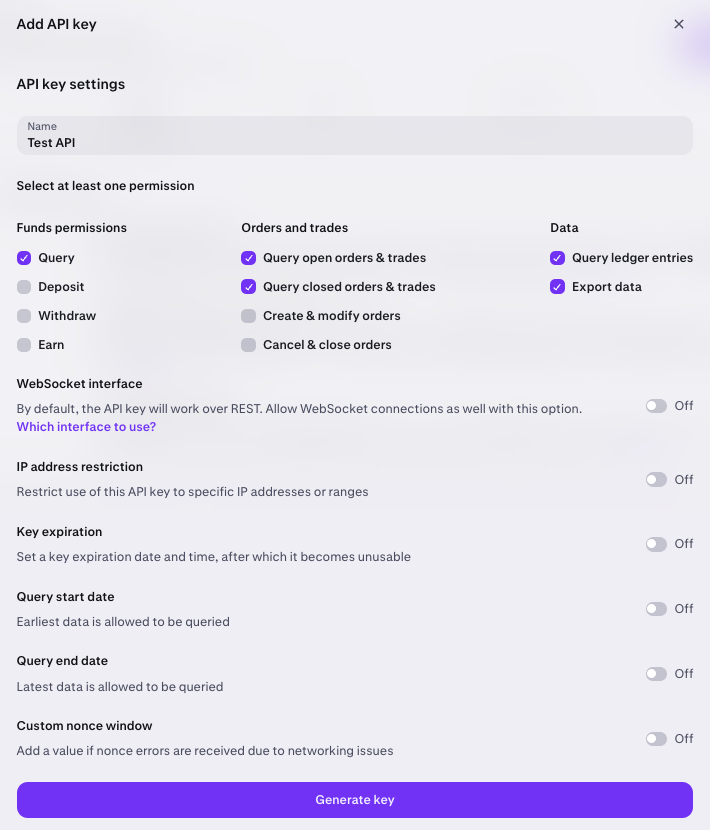
4. Click on Create API Key, and enable the required permissions (screenshot below)
5. Once you click Generate key, a screen will popup with the Private Key. Save this in a secure place: **you won’t be able to view them again once you close this dialog**.
Required permissions
## Step 2: Connect your Kraken account to Integral
1. Log in to your Integral account
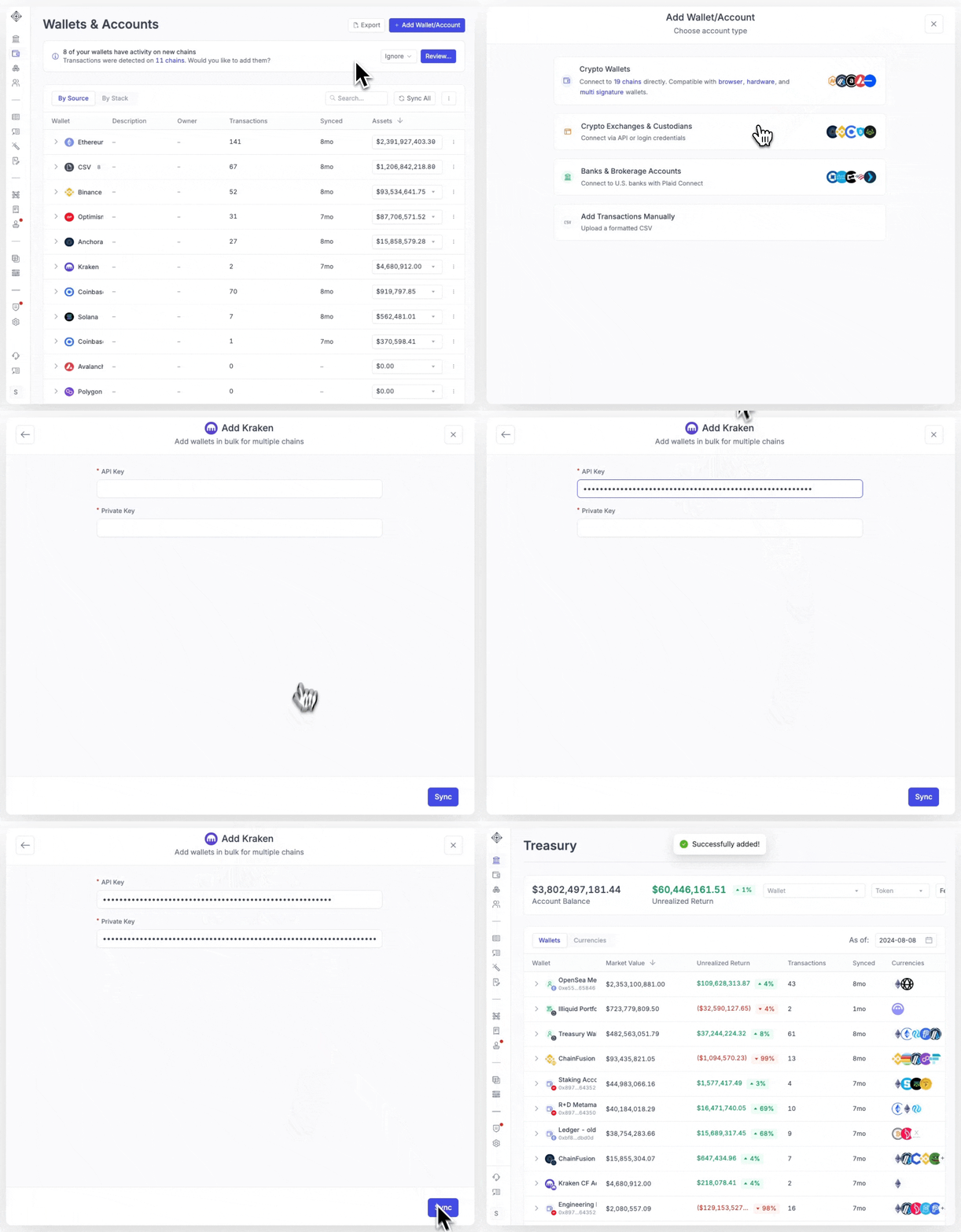
2. Navigate to [Wallets](https://app.integraltreasury.xyz/wallets) > `+Wallet/Account`
3. Select Crypto Exchanges & Custodians -> Kraken
4. Paste in your API Key and Private Key
5. Click “Sync”
It may take a few minutes for all your transactions to load into Integral. You can see transactions trickle in from the [Bookkeeping](https://app.integraltreasury.xyz/accounting?category=for-review\&page=1) page. Transactions are done loading when your Unrealized Gain/Loss and Transaction Count appear in the Treasury page.
{% hint style="info" %}
Note: Kraken does not provide transaction hashes, or from/to addresses. This can make it difficult to gather the ideal metadata to interpret transactions. Unfortunately there aren't too many workarounds at this stage, but we are monitoring their API for updates.
{% endhint %}
## FAQ
What's the difference between Kraken and Kraken Pro?
If you have a Kraken account - you also have access to a Kraken Pro account. Kraken is perfect for beginners and casual traders, with easy buying, selling, and funding abilities. Kraken Pro caters to professional traders and businesses with advanced analytics and API capabilities. To create an API Key for your Kraken account, **you need to do it through the Kraken Pro interface.**
How do I switch to Kraken Pro?
You can switch between all interfaces on desktop via the **App switcher.** You will find the **App switcher** in the right hand corner of your Kraken account.