# Connect Your ERP
Categorizing transactions for your month-end is a critical Integral workflow. And you will need categories to categorize with!
These categories come from your Chart of Accounts found in your ERP (QuickBooks, Xero, and Netsuite). Integral also imports your Customers & Vendors, so you can link them to known addresses.
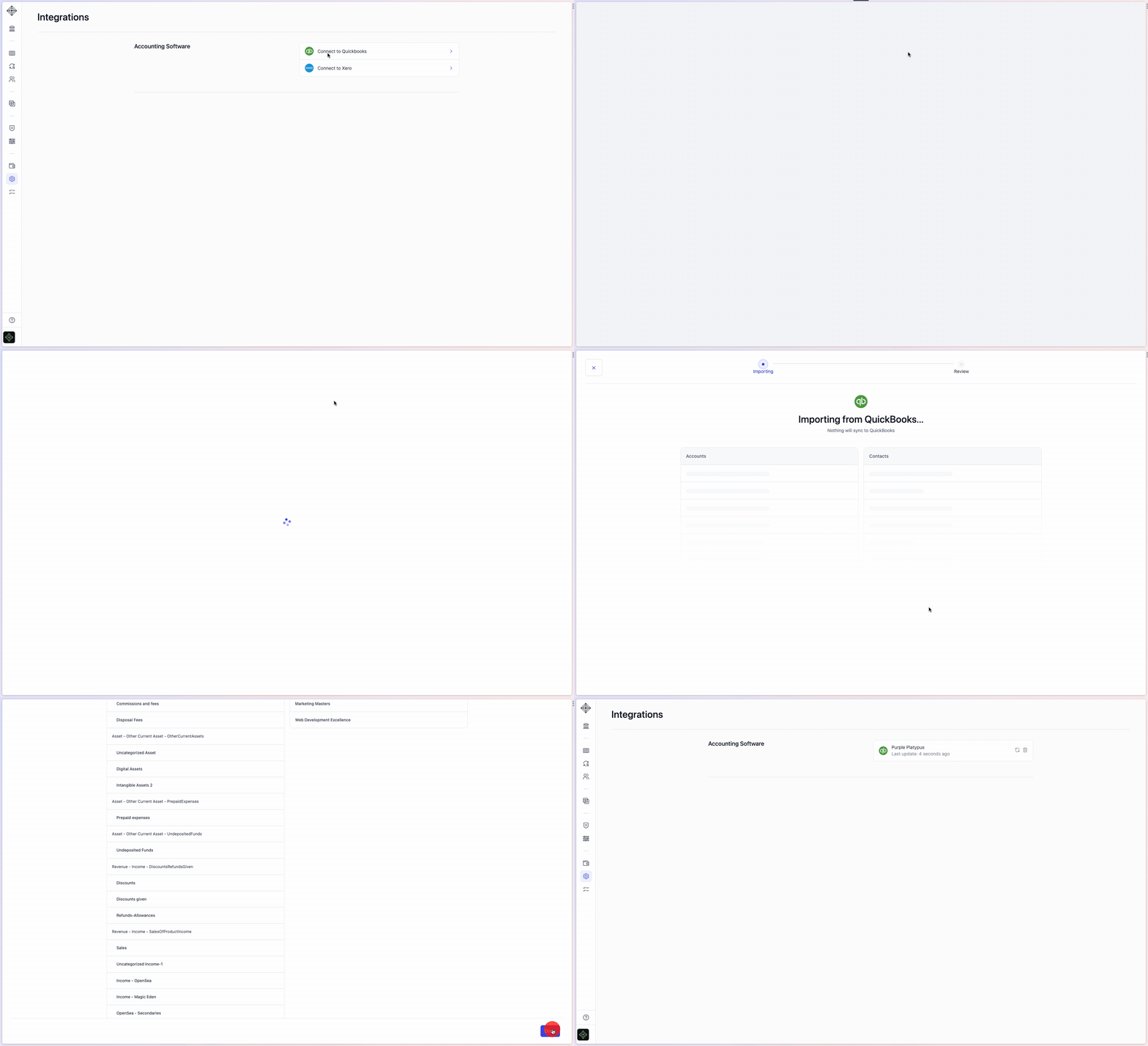
**To import your Chart of Accounts, connect your ERP to Integral by following the steps in our** [**Getting Started module**](https://app.integraltreasury.xyz/setup)**.** You can also connect to your ERP from the [Bookkeeping](https://app.integraltreasury.xyz/accounting?category=for-review\&page=1) page or from the [Integrations](https://app.integraltreasury.xyz/settings/integrations) page. This step requires you to sign in to QuickBooks/Xero/Netsuite.
Connecting to QuickBooks from the Integrations page. A similar flow exists for Xero.
Will anything sync to my QuickBooks/Xero/Netsuite?
Nothing will ever sync to your ERP without your explicit direction. Syncing transactions to QuickBooks/Xero/Netsuite is an intentional activity done only by you in the Bookkeeping page once everything has been categorized and verified (see [here](https://integral-treasury.gitbook.io/integral-treasury/start-guide/sync-to-your-erp) for details).
{% hint style="info" %}
Don't use an ERP? [Ask Integral](mailto:hi@integral.xyz) to upload one of our default Chart of Accounts, or to import a custom one you already use.
{% endhint %}